Overview
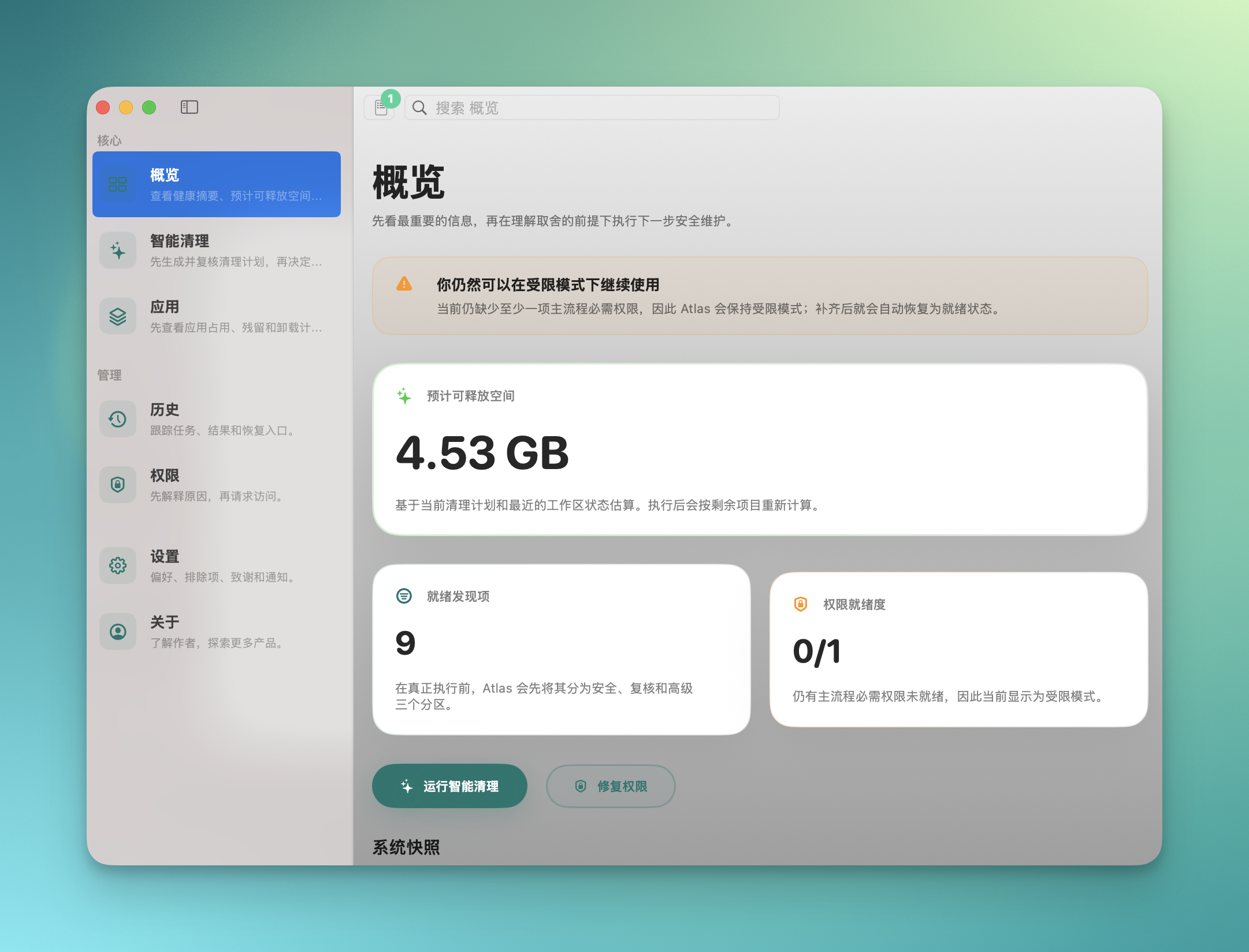
System health at a glance
Disk usage, cache breakdown, reclaimable space — all on one screen
Read-only scan, no modifications made
Atlas is an open-source macOS maintenance workspace. Every scan result is explained, every clean operation is recoverable. Nothing is silently deleted.
Prerelease builds are for testing only and may contain unresolved issues. Do not use in production.
Version 1.0.3 · Mar 23, 2026
Cleanup tools delete files without telling you what was removed
Atlas lists every scan result for your review before executing
Accidentally deleted a config file with no way to recover
Atlas supports per-item restore within the retention window, when supported
Tools demand Full Disk Access without explaining why
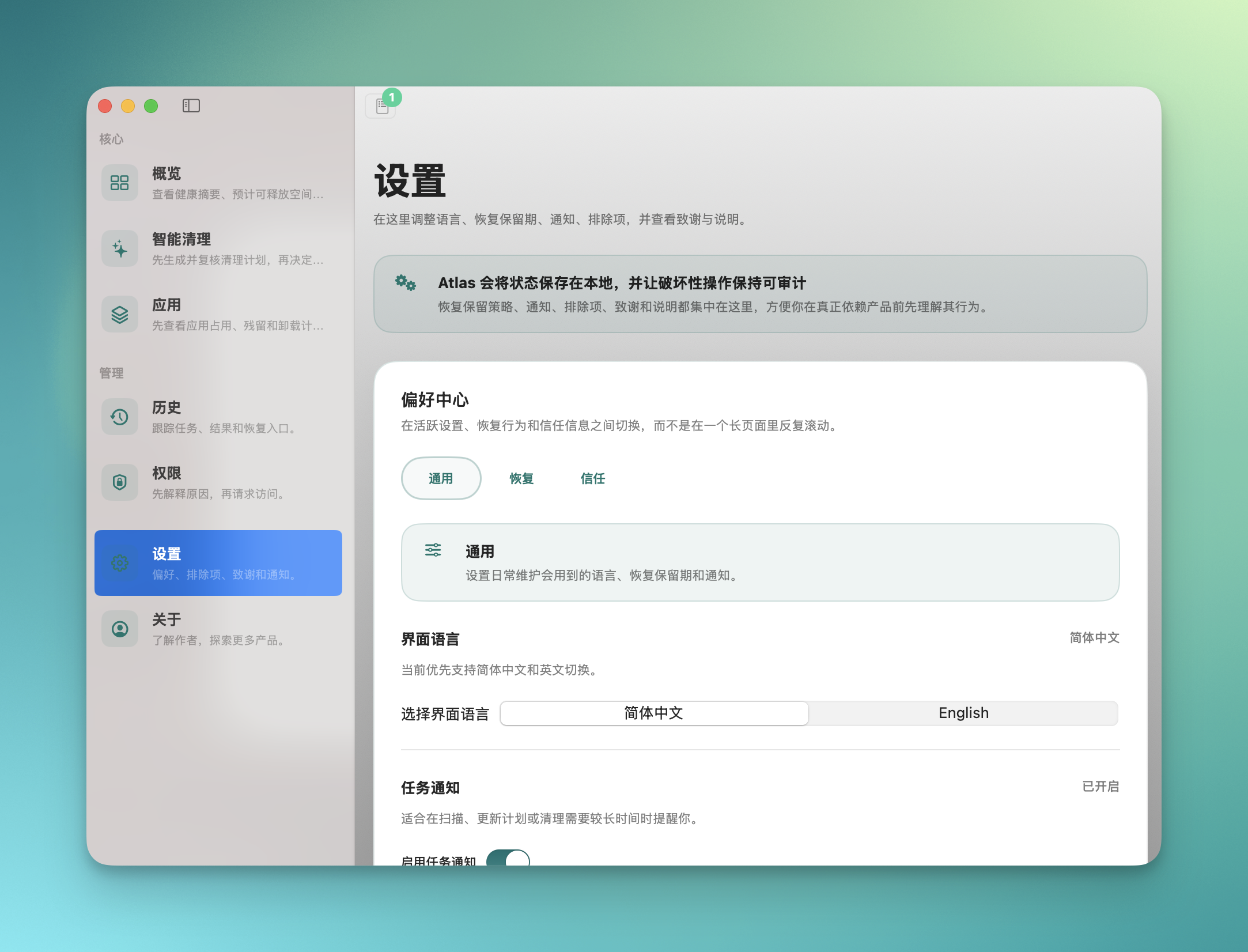
Atlas requests permissions on demand and explains each one
System health at a glance
Disk usage, cache breakdown, reclaimable space — all on one screen
Read-only scan, no modifications made
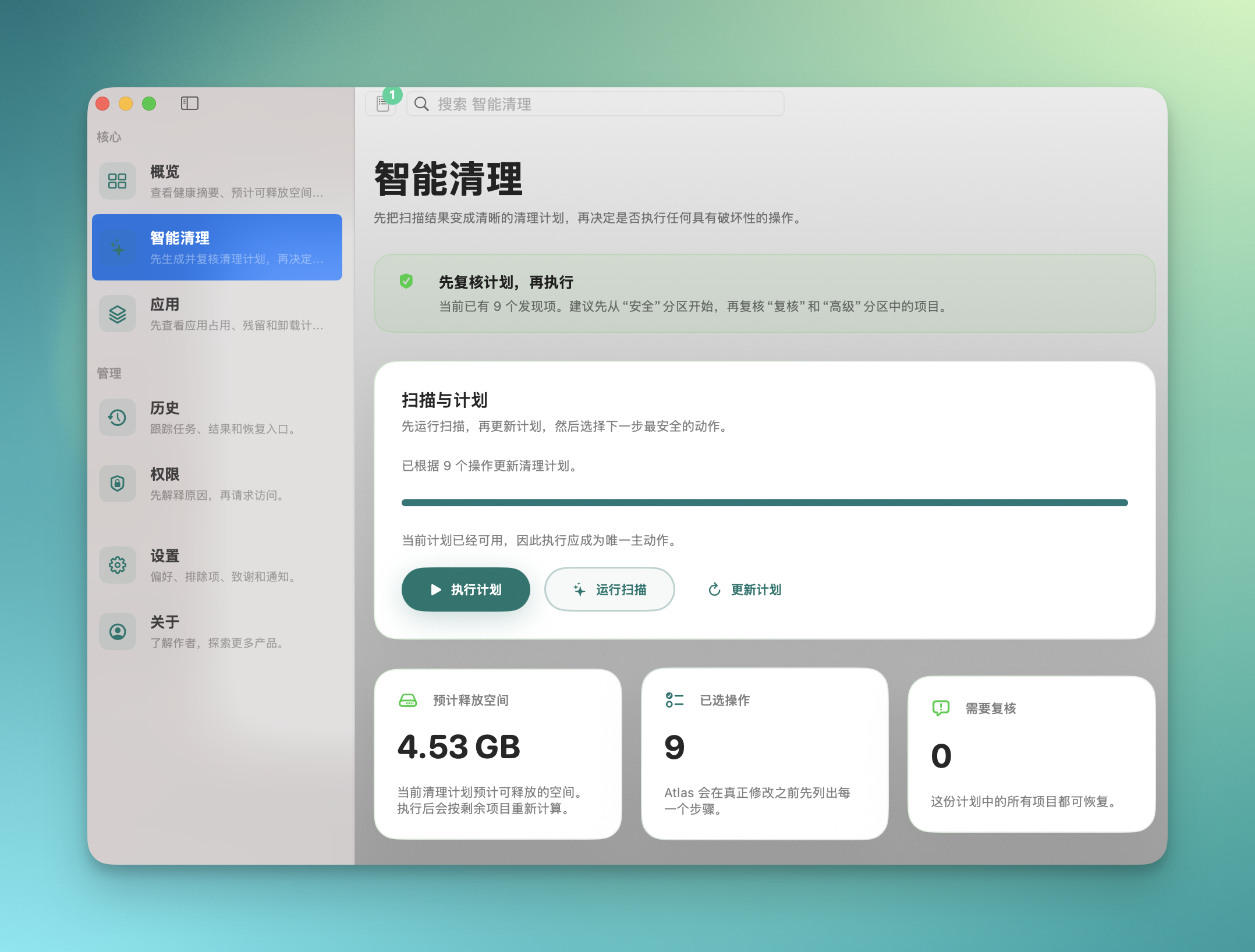
Scan, review the plan, then execute
System cache 3.2 GB — inspect details before deciding to clean
Auto-backup before every clean, supports rollback
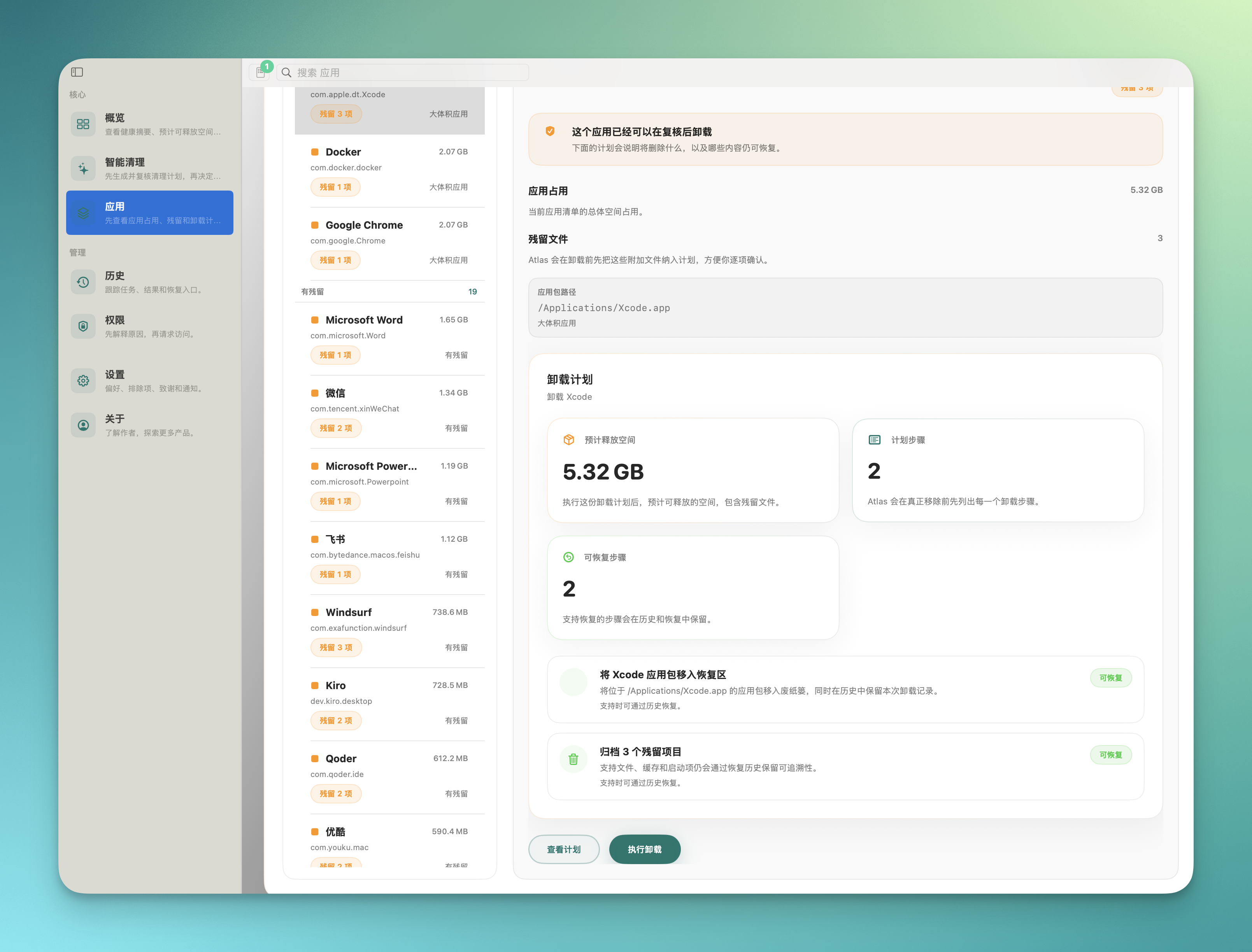
Analyze full app footprint and plan uninstalls
See every associated file an app leaves on disk
Full file list shown before uninstall, confirm each item
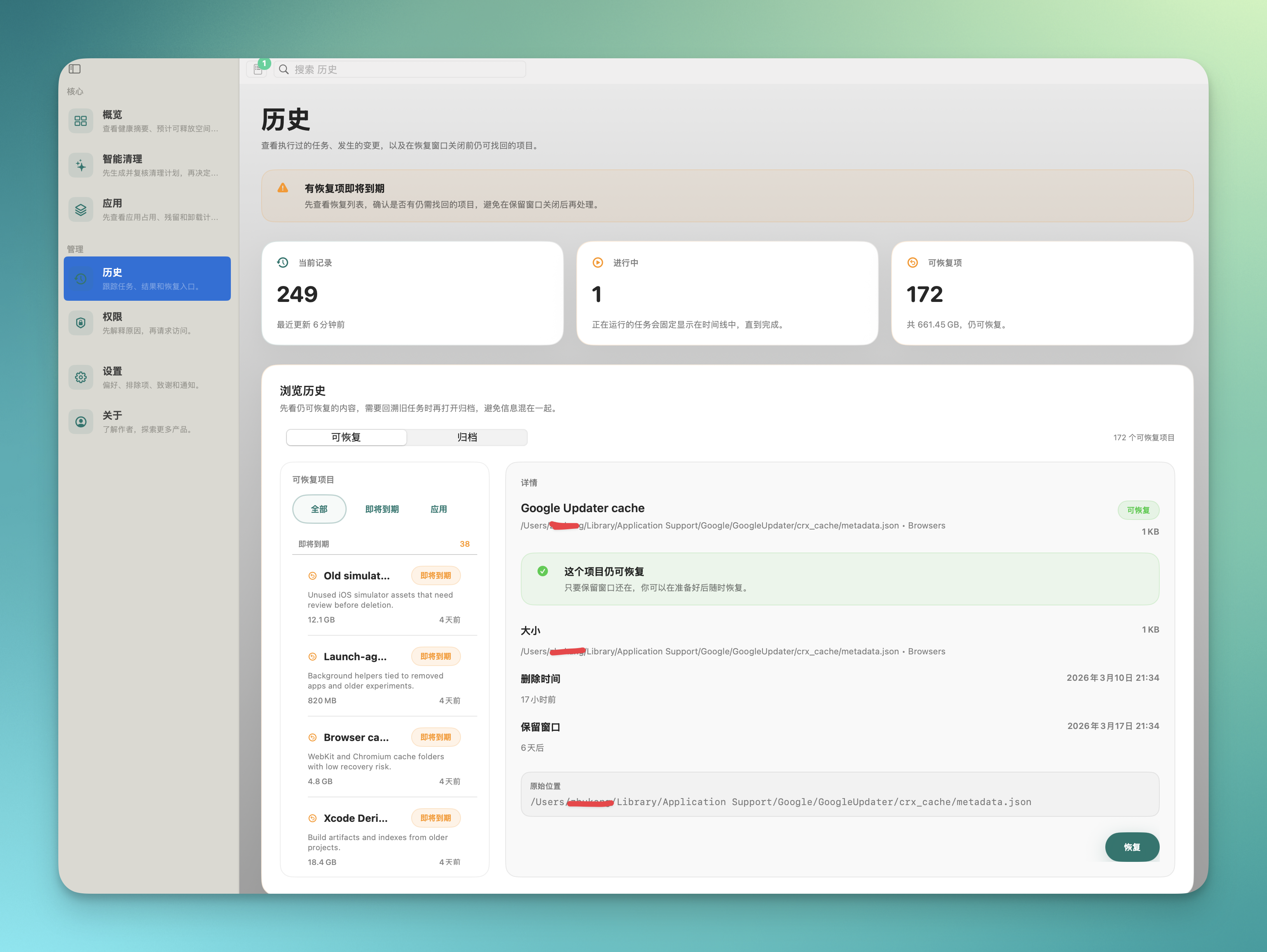
Complete audit trail and recovery timeline
Review detailed records of every clean operation in the past 30 days
Every action is traceable, no silent operations
Per-item restore within the retention window, when supported
Accidentally removed config files can be restored within the retention period
File-level backup, not snapshot-based
Least privilege, explained before asking
Downloads folder access is requested only when scanning that directory
Every permission comes with a usage explanation
Atlas performs a read-only scan of your disk, identifying caches, logs, leftover files, and other reclaimable items.
Scan results are listed item by item with explanations and size estimates. You decide what to keep and what to clean.
After confirmation, Atlas performs the cleanup. Removed files are automatically backed up within the retention period, when supported.
Within the retention window, you can restore any cleaned file from the operation history on a per-item basis.
Atlas recognizes development toolchains and avoids removing critical files.
Automatically identifies caches and artifacts from Homebrew, Xcode, Node.js, and other development environments, marking them as safe or cautious.
Detects .git, node_modules, build directories, and other project folders. These are excluded from scans by default to avoid disrupting your workflow.
Provides command-line tools for scripted scanning and cleaning, ready to integrate into automated workflows.
Every operation produces a complete audit log with file paths, sizes, and timestamps for easy troubleshooting.
Atlas is built on one principle: inform before acting, restore after acting.
A complete file list is shown before every clean operation. There is no black-box "one-click clean" behavior.
Cleaned files are automatically backed up during the retention period. Per-item restore is available from the operation history, when supported.
Atlas only requests specific permissions when needed and explains each one. Core features work without Full Disk Access.
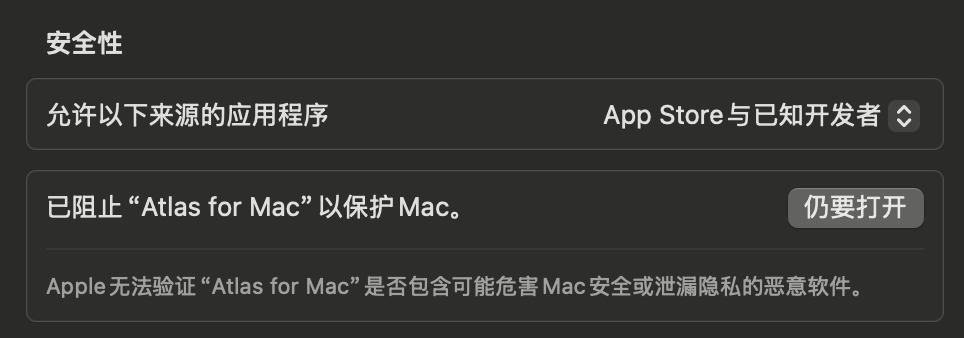
Atlas is signed with an Apple Developer ID and verified through Apple's notarization service. On first launch, macOS Gatekeeper automatically checks its integrity. Prerelease builds may not be notarized and require manual confirmation to open.
Prerelease builds may include incomplete features or known issues and are intended for testing only. Since they may not be notarized by Apple, you will need to right-click and select "Open" on first launch. We recommend not using them as your primary tool on important machines.
No. Atlas runs entirely on your local machine. It does not collect or upload any user files or personal data. Scan results and operation records are stored locally. The source code is fully open for your review.
Before cleaning, Atlas backs up files to a local retention directory. Within the retention period (30 days by default), you can restore cleaned files individually through the operation history. After the retention period expires, backups are automatically purged. This is file-level backup, not a system snapshot — some scenarios may not be covered.
Core features work without Full Disk Access. Atlas follows the principle of least privilege and only requests access to specific protected directories when needed, explaining the purpose before each request.
Not currently. Atlas is distributed as a direct download from the official website to retain full system maintenance capabilities. The Mac App Store sandbox restrictions would limit core cleaning and recovery features. A simplified App Store version may be considered in the future.